
The End of Watch AI template is the fixed scene every video on this site is made from: the locker room scene from End of Watch as @xylofiles posted it in August 2023, the version with more than 5.8 million plays, with its caption bar cropped off and its original sound kept. The room, the camera and the order of the gear never change. What changes is who is holding the gear, and who leans in at the end.
People search for an End of Watch AI template because the AI versions on TikTok all look alike. That is right: they follow the same scene. Here is what that scene is, shot by shot, and what happens to it when your photo goes in.
Shot 1: the gear close-up
The longest shot. One handheld close-up in front of the navy lockers, cut a few times so the gear comes up quickly:
- The pistol, held sideways right up to the lens.
- The flashlight, switched on into the camera until the picture flares white and green.
- The knife, a black folding knife held up blade first.
- The magazines, one in each hand, then the handcuffs, held up wide.
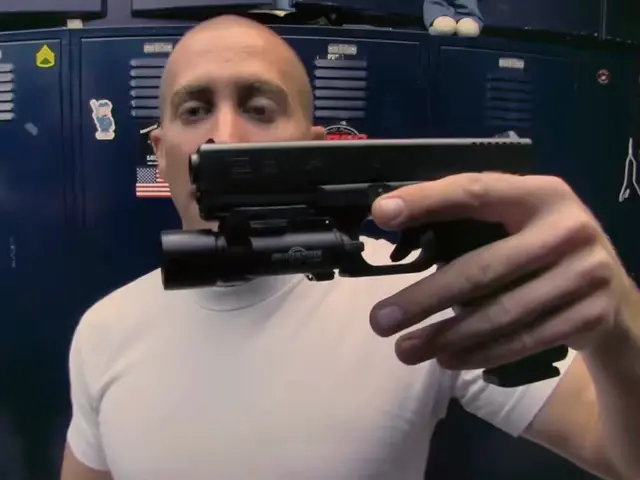
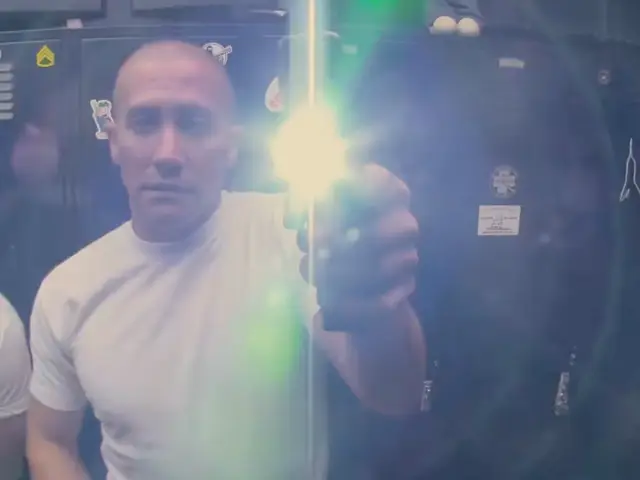
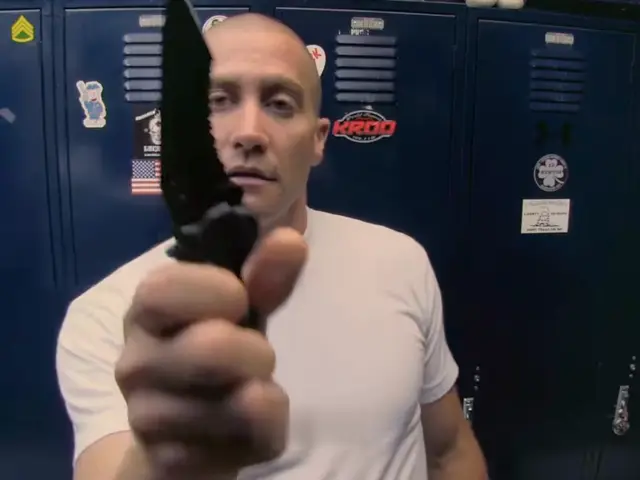
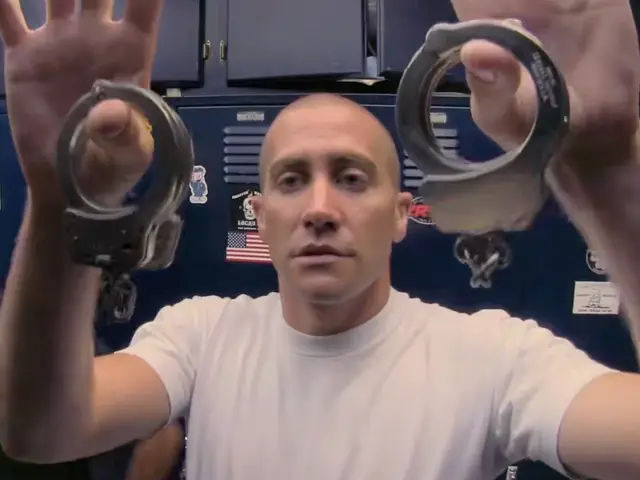
Your face is in almost every frame of this shot, and it is close. That is why the photo matters more here than in most templates.
Shot 2: the shelf
The camera turns away to the shelf inside the locker: rounds of ammunition, jars, a padlock, then the uniform hanging below. There is no face in this shot, so nothing in it changes.
Shot 3: the two of them
The camera comes back for the last moment. The officer is on the right, closest to the lens, and his partner leans in from the left. Both grin. This is the shot that makes the scene feel like a joke between two friends, and it is the reason there is a second photo box.
What the template keeps
- The locker room: the navy lockers with their stickers and flag.
- The camera: handheld, close, with the same cuts.
- The gear and its order, including the flare from the flashlight.
- The sound from the clip.
What the template swaps
- The face. It always comes from your photo, never from the film.
- Hair, glasses, hat and clothes, as your photo shows them. Something you are not wearing in the photo is not added. The white T-shirt from the film is used only when your photo shows no clothes.
- The partner, if you add a second photo. Leave it empty and the partner from the film stays.
Before the video is made, the two shots with faces, the gear close-up and the two of them, are drawn from your photos and checked against them. The video is then made with those shots in place.
How your photos are cast
- A photo each: the photo in You takes the officer with the gear; the photo in Partner takes the one who leans in.
- One photo of you both: the person on the left of your photo holds up the gear, the person on the right is the partner. With more people in the picture, the two biggest faces go in.
What it does not do
You cannot bring your own things. The 2023 versions with gym belts and kitchen tools were filmed by people with their own phones; here the gear comes with the scene. The template also keeps the 2023 order, gear first and partner last. Some of the newer AI versions on TikTok open on the two faces and show the gear after; this one does not.
And there is nothing to edit. The template is already set up on the home page: you add a photo, tick the box and press the button. For the whole walk-through, see how to make an End of Watch AI video. For where the scene came from, read about the End of Watch trend, and for casting, try the End of Watch meme ideas.
Use the End of Watch AI template